All projects

Seru Room

A live presentation app: the presenter runs a deck, and the room answers polls, word clouds, rankings and questions from their phones while the results move on the big screen. Still being built, with no users yet.

Client
My own product
Role
Designer and developer, on my own
When
Sep 2026 – now
Status
In progress, no users yet
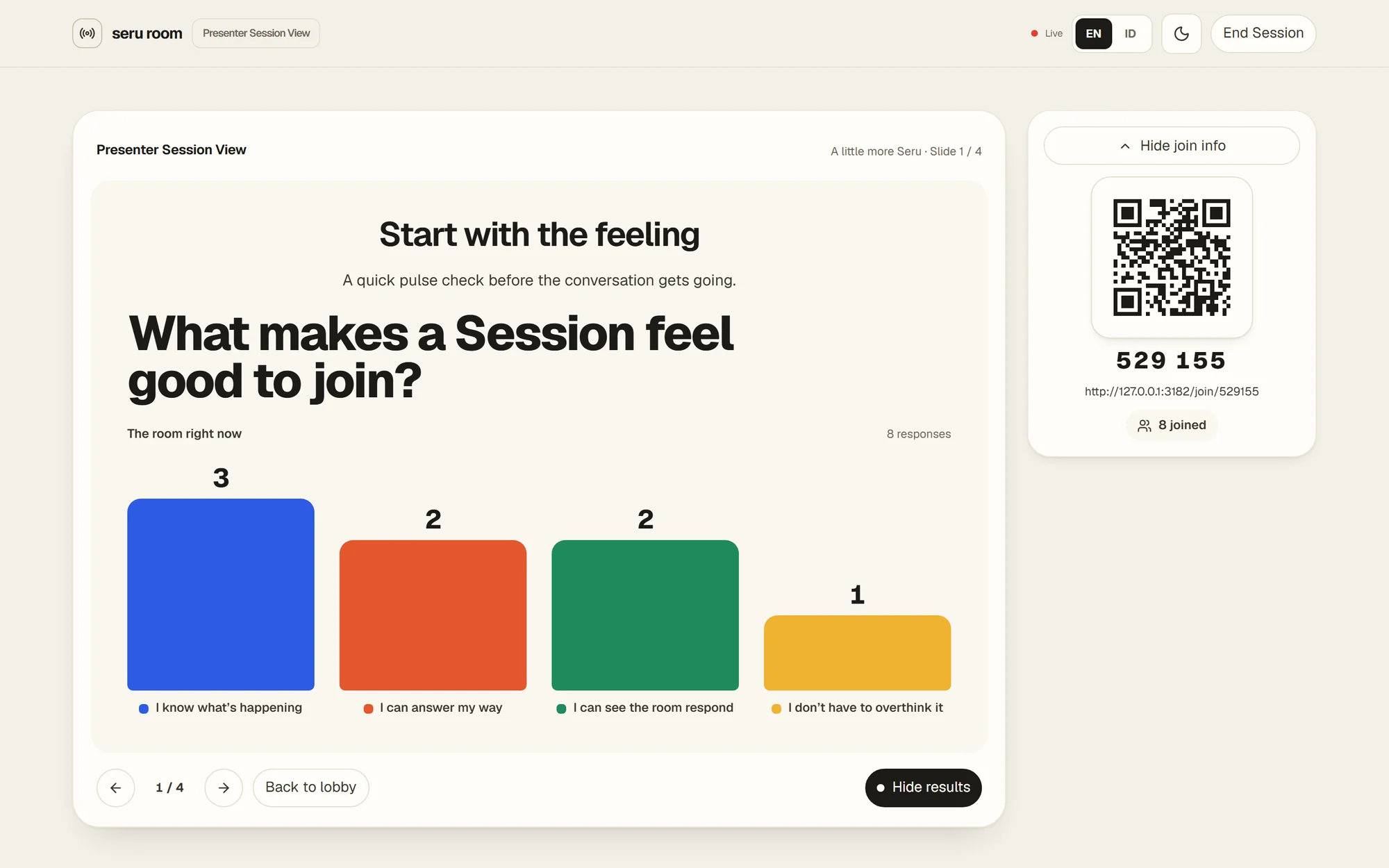
The presenter's live view: a multiple-choice question with its results as columns, and the join code and QR beside it
  • Next.js
  • React
  • TypeScript
  • Tailwind
  • Cloudflare Durable Objects
  • Turso
  • Drizzle
  • Better Auth
  • Playwright

What it is

Seru means fun, lively, in Indonesian. Seru Room is for teachers, facilitators and speakers who want the room to answer, not just listen.

A presenter builds a deck in the editor and presents it as a live session. The audience joins with a six-digit code or a QR from whatever phone they have, and the presenter's screen reacts to every answer.

My part

I am building it on my own: the product, the design and the code. It runs end to end, but it has not had a real audience yet.

A room that reacts

The problem. Answers have to reach the big screen as people tap, over venue Wi-Fi that drops, and the presenter can never lose the session halfway through.

What I did.
  • One Cloudflare Durable Object per session code holds the live state and talks WebSocket to the presenter and every phone.
  • Results live only as long as the session; nothing about who answered what is kept after it ends.
  • A reload on either side picks the session back up instead of stranding it.

What changed. Answers land on the presenter's screen as they come in, and a dropped phone or a reloaded laptop rejoins the same session.
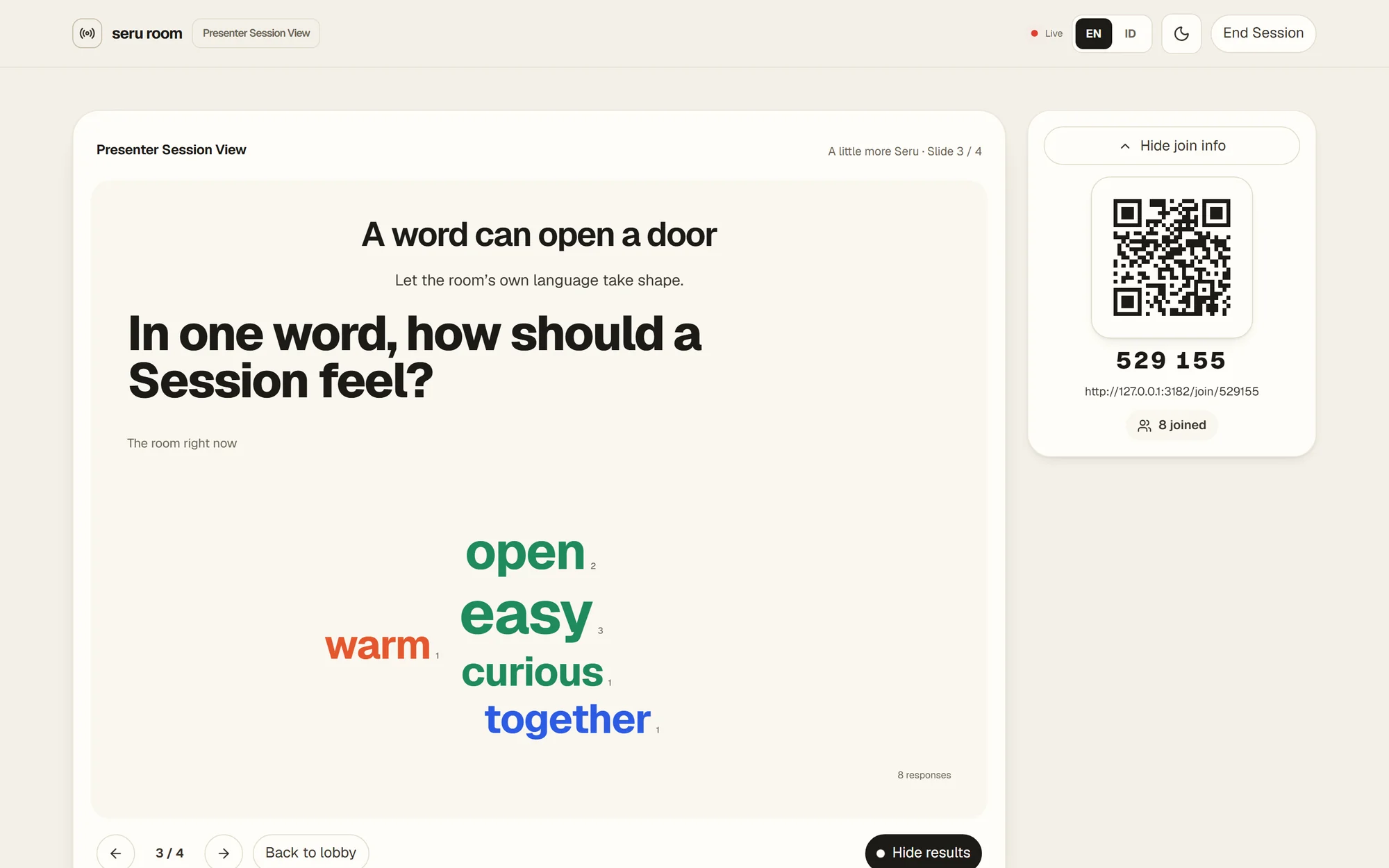
A word cloud on the presenter's screen, built from eight answers
A word cloud slide after eight answers. Sample content.

Joining in one step

The problem. Nobody in an audience will install an app or make an account to answer one question.

What I did.
  • Join with the six-digit code or by scanning the QR on the lobby screen.
  • Ask for a display name only when the presenter wants names.
  • Four kinds of slide, multiple choice, word cloud, ranking and Q&A, each laid out for a small phone first.

What changed. Joining takes a code and a tap, on any phone with a browser.

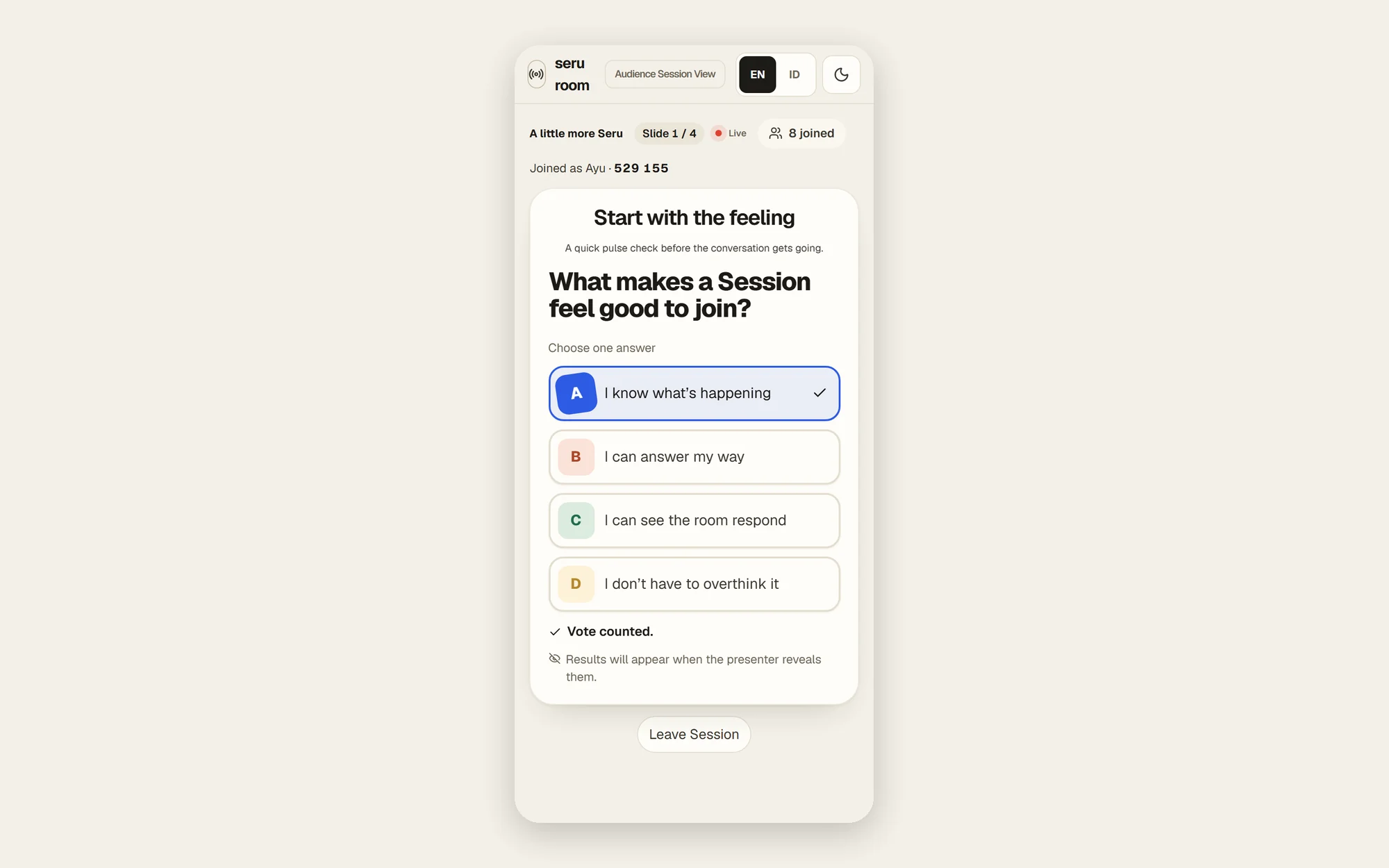
A participant's phone after voting on a multiple-choice question
What a participant sees after voting. Sample content.

An editor that saves itself

The problem. Presenters build decks in spare minutes between other work, and one lost edit is enough to stop trusting a tool.

What I did.
  • Edits save as you make them, so there is no save button to forget.
  • Sign-in by email magic link, so there is no password either.
  • English and Bahasa Indonesia, light and dark, all treated as first-class.

What changed. A deck goes from empty to ready to present without a single save.

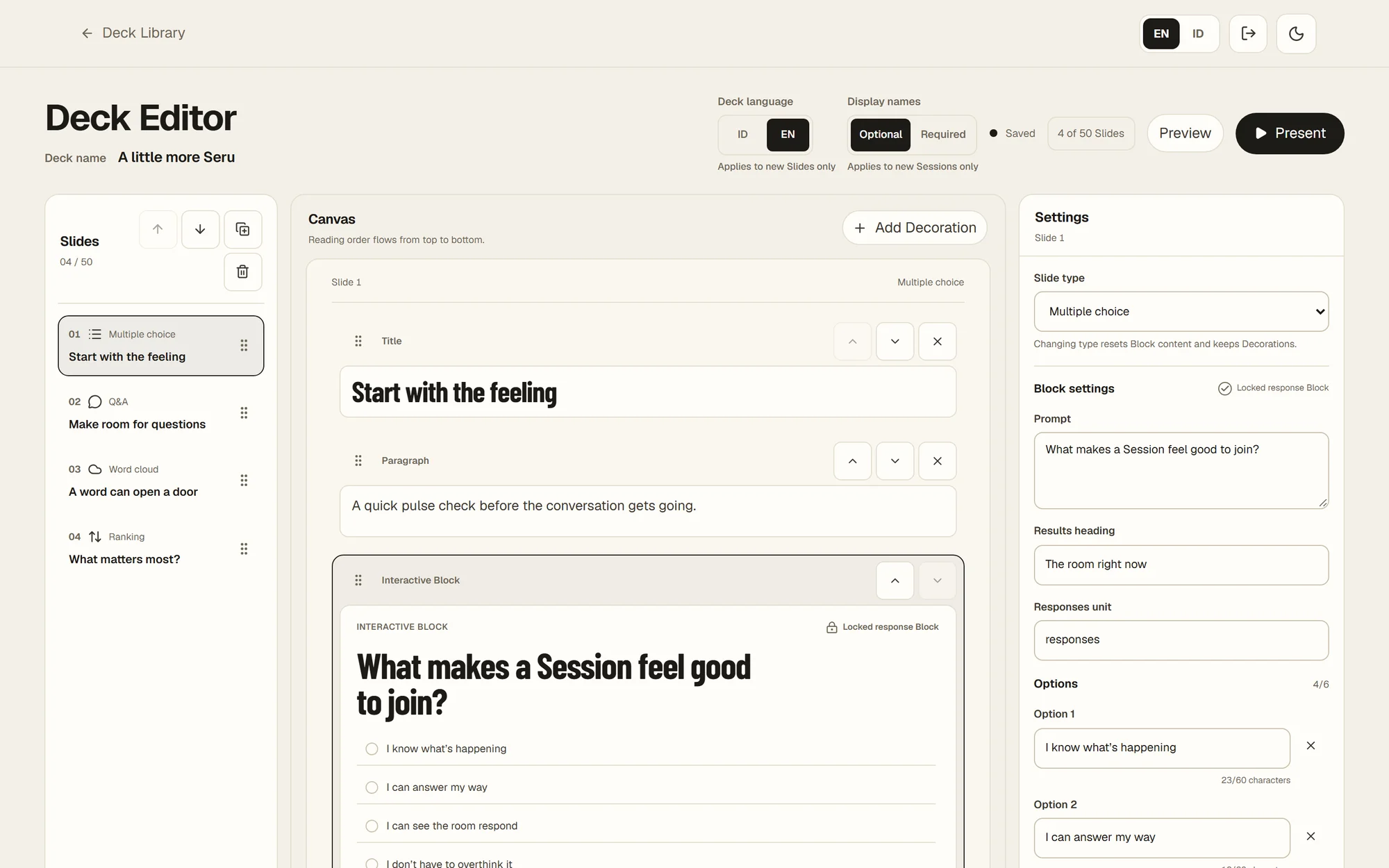
The deck editor: the slide list, the slide canvas and its settings
The deck editor with a sample deck.

How I worked

Built as AI coding sessions that I plan and review. Each starts from a written ticket and a glossary of the product's words, and end-to-end tests drive the real server, a real database and the real live worker.

Have a project in mind?

Tell me what you need built, web or mobile, design to backend. I will come back with a plan.

Hiring a software engineer?

I am open to full-time roles. Let’s talk about your team and the work.