All projects

JagaDay

A focus app that turns a calendar plan into enforcement: when a planned block starts, the apps and websites you chose are blocked on the laptop and the phone at once. Still being built, with no users yet.

Client
My own product
Role
Designer and developer, on my own
When
Oct 2026 – now
Status
In progress, not yet run on real devices
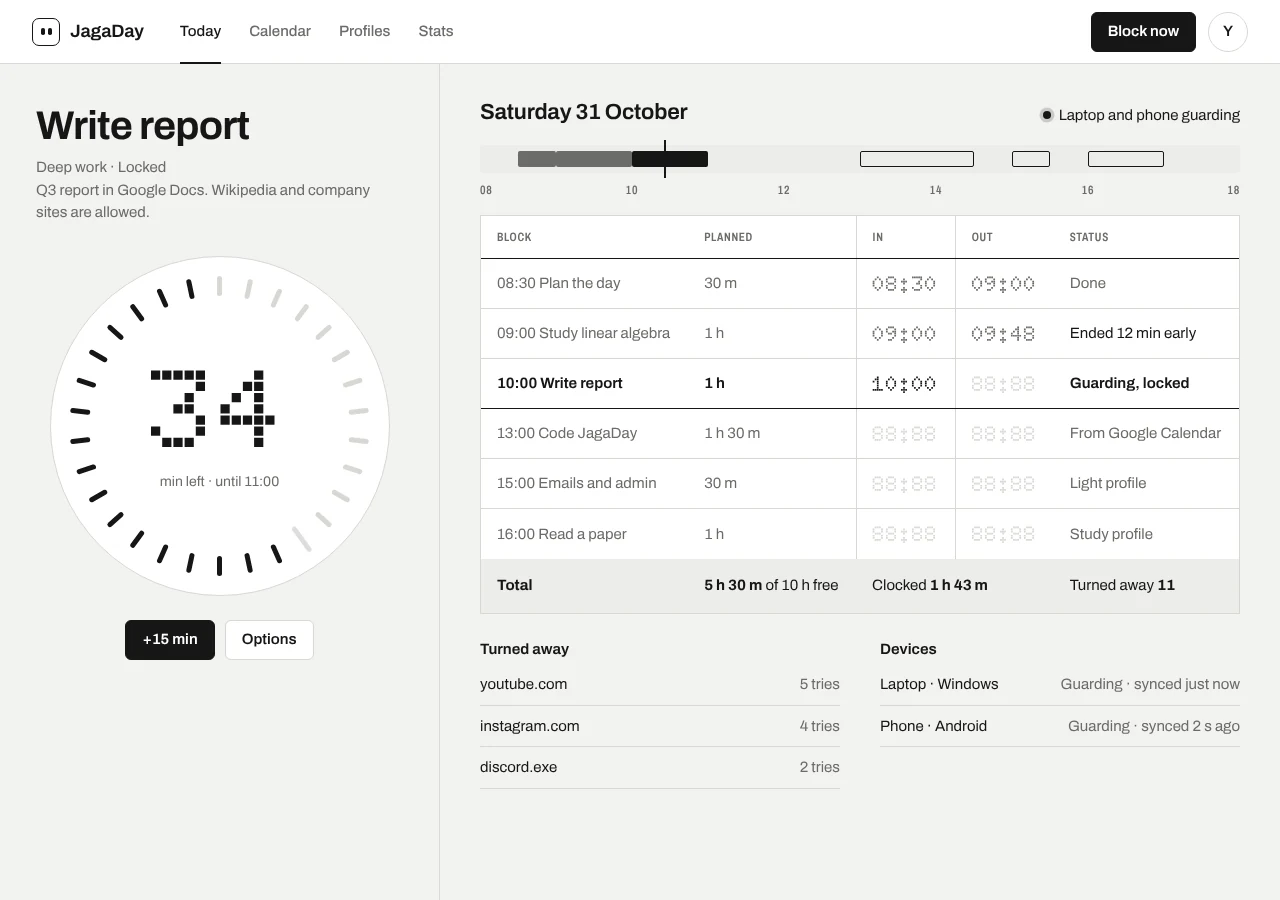
JagaDay's Today screen: the current block with its tick timer, and the day's plan against what was clocked
  • Rust
  • Tauri
  • React
  • TypeScript
  • Kotlin
  • Jetpack Compose
  • Supabase
  • Browser extension

What it is

Jaga means to guard, in Indonesian. I plan my day in Google Calendar, then lose the focus blocks to YouTube and Discord on whichever device is closest. The blockers I tried either guard one device or put scheduling behind a paywall.

JagaDay reads the calendar instead. Tag an event #focus and, when it starts, the apps and websites in its profile are blocked on Windows and Android together, then released when it ends.

My part

I wrote the spec, designed it and am building it on my own, for myself first. Every component builds and passes its automated tests; none of it has run on a real phone, a real Windows laptop or a real Google account yet.

One plan, two devices

The problem. A block that only guards the laptop just moves the distraction to the phone.

What I did.
  • Calendar import runs on the server every five minutes, so the laptop and the phone see the same blocks without either one holding Google tokens.
  • Each device keeps its own local database and syncs through Supabase, so blocking keeps working offline.
  • A Windows service enforces the next eight days of blocks even when the app or the network is gone, and a browser extension blocks the websites.

What changed. One acceptance test plays a whole day across the real code of every part, on a simulated clock: plan, import, block on both devices, release.
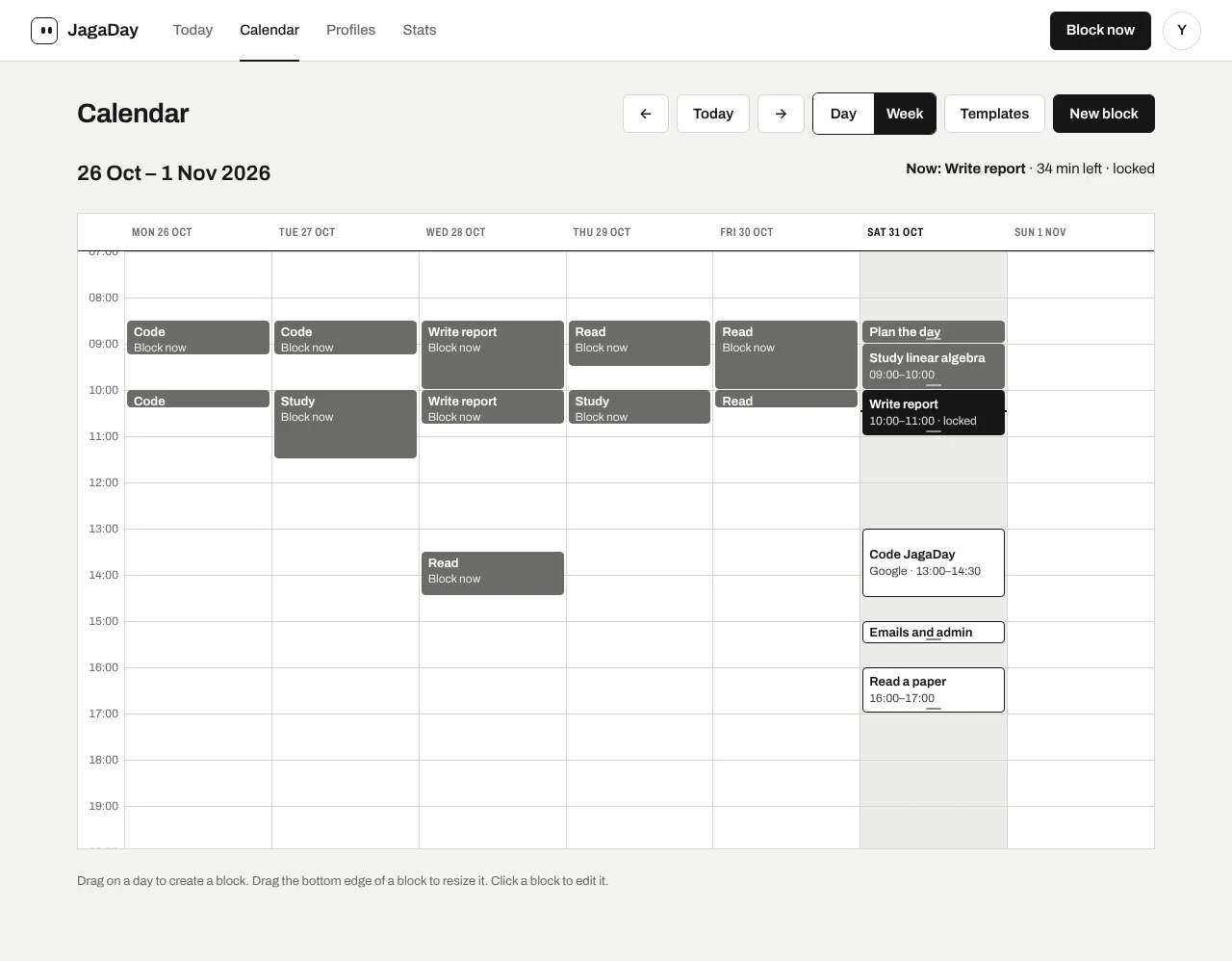
The week calendar with focus blocks, one imported from Google Calendar
The week view. Sample data.

Hard to bypass, easy to understand

The problem. A blocker you can switch off in two clicks is not a blocker, but one that never says why feels broken.

What I did.
  • A running block can be extended from the calendar, but never shortened or cancelled.
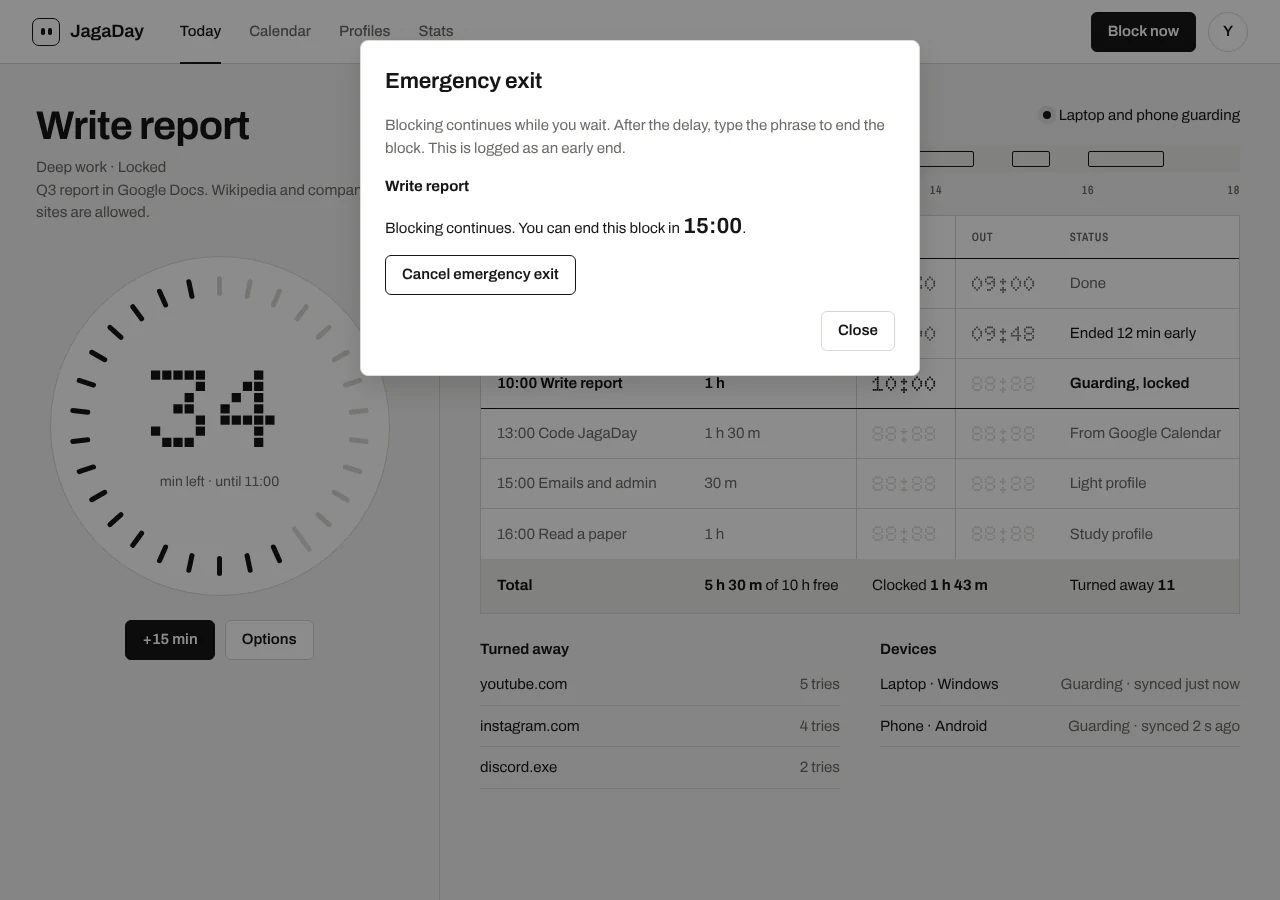
  • A locked block ends only through a slow emergency exit: wait out a delay, then type a phrase. It is logged as an early end.
  • Every refusal says which block it is, what the task is, and until when.

What changed. Getting out of a block takes a deliberate choice, and the app always tells you where you stand.

The emergency exit dialog counting down before a locked block can end
The emergency exit, waiting out its delay. Sample data.

One set of rules, three languages

The problem. The rules run in Rust on Windows, in TypeScript in the app and the extension, and in Kotlin on Android. If they disagree, a site is blocked on one device and open on the other.

What I did.
  • 190 shared test cases that the Rust, TypeScript and Kotlin cores must all pass.
  • An independent Python version of the rules, and a random cross-check between them.

What changed. All three cores pass the same 190 cases, so one plan is enforced the same way everywhere.

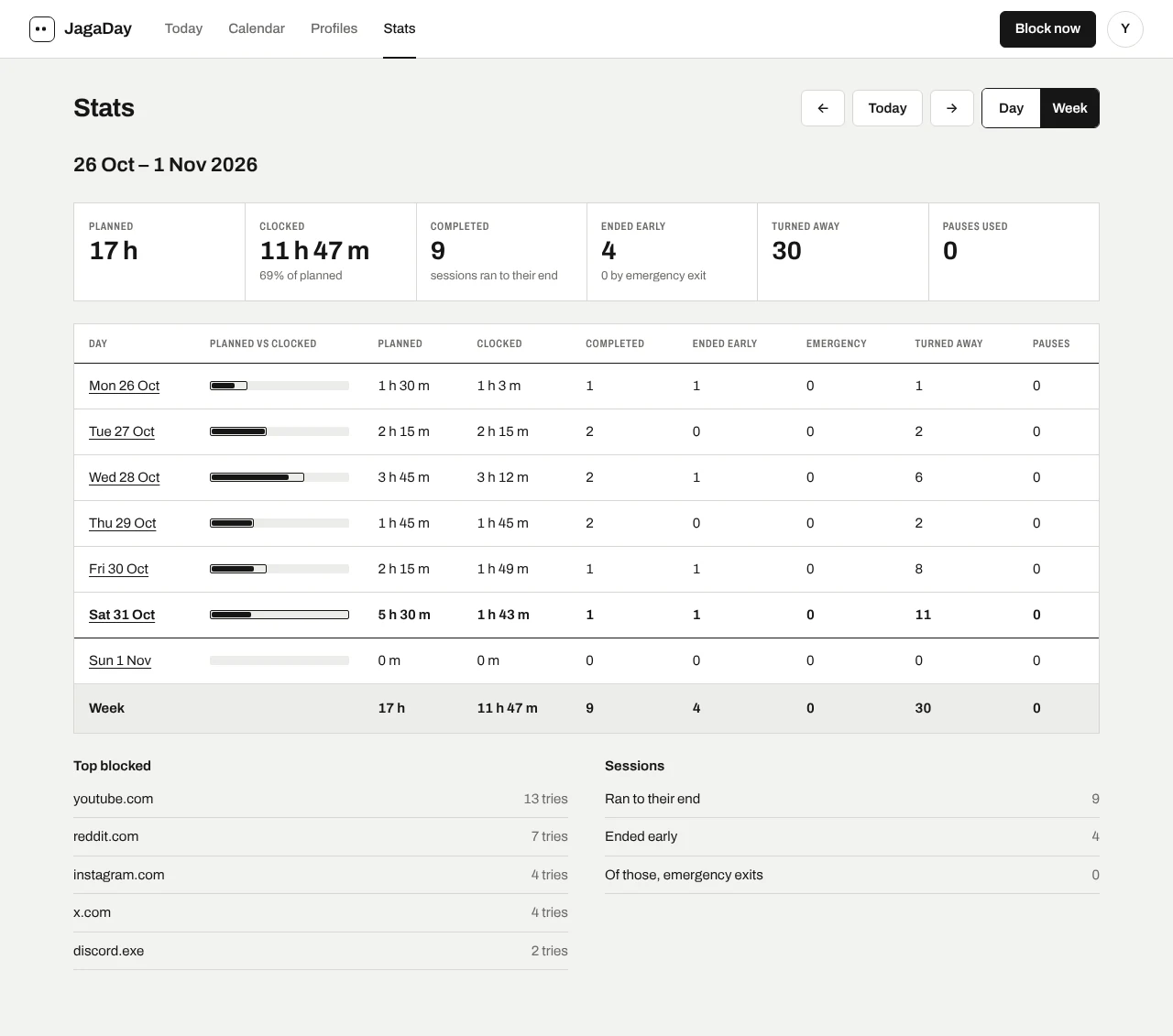
The weekly stats: planned against clocked minutes, early ends and turn-aways per day
Weekly stats. Sample data.

Have a project in mind?

Tell me what you need built, web or mobile, design to backend. I will come back with a plan.

Hiring a software engineer?

I am open to full-time roles. Let’s talk about your team and the work.